Migration Guide
Switching from another rtp plugin? Start with Migrating from Another RTP Plugin right below. Upgrading an existing RTP install? Skip to Upgrading to 3.x.
📎 For the mechanics of how RTP upgrades on-disk YAML files (what
.old1/.old2files are, how your customizations are read into memory before the file is replaced, and how they are overlaid onto the new defaults), see CONFIG_LIFECYCLE.md.
Migrating from Another RTP Plugin
/rtp config import reads another rtp plugin's config files and writes the matching LeafRTP files: worlds, radii, shapes, cooldowns, delays, prices, database settings, effects, and portal zones. It never overwrites an existing file unless you pass overwrite=true, and it can copy your players' permissions too.
The importer isn't a fixed list of plugins. It looks for any folder under plugins/ that holds an rtp-style config (config.yml, rtp.yml or settings.yml, a worlds/, regions/, zones/ or rtpSettings/ folder, or YAML with radius, center or cooldown keys) and reads the layout it finds. BetterRTP, JustRTP, EzRTP and JakesRTP are the layouts it has tests or reference notes for; anything else is best effort, and every setting it can't map is listed as a warning. Point it at any folder with path=<dir>. Permission copying is narrower: it covers BetterRTP, JustRTP and EzRTP nodes only.
Short version:
/rtp config import                        # preview what would be imported
/rtp config import overwrite=true         # write it
/rtp config import permissions apply=true # copy permission nodes (LuckPerms)
The old plugin doesn't need to be running; RTP reads its folder from disk.
Overview of Imported Systems
| Source Plugin | Detected Files | Output Target in RTP |
|---|---|---|
| BetterRTP | plugins/BetterRTP/config.yml |
regions/<world>.yml, advanced/database.yml, definitions/effects/imported_betterrtp_*.yml |
| JustRTP | plugins/justRTP/config.yml, custom_locations.yml, rtp_zones.yml |
regions/<world>.yml, regions/<id>.yml, definitions/actions/zone_<id>.yml, advanced/database.yml, definitions/effects/imported_justrtp_*.yml |
| EzRTP | plugins/EzRTP/rtp.yml, config.yml, limits.yml |
regions/<world>.yml, definitions/effects/imported_ezrtp_*.yml |
| JakesRTP | plugins/JakesRTP/config.yml, rtpSettings/*.yml, distributions/*.yml |
regions/<profile>_region.yml, worlds/<world>.yml, config.yml, performance.yml |
| Any other rtp plugin (best effort) | config.yml, rtp.yml, settings.yml, or YAML under worlds/, regions/, locations/, zones/, settings/ |
regions/<world>.yml, config.yml, performance.yml, effects and database where recognised; unmapped settings are listed as warnings |
Step-by-Step Foreign Configuration Import
Step 1: Pre-Import Verification
- Ensure the old plugin's configuration directory exists under your server's
plugins/folder (e.g.plugins/BetterRTP/,plugins/justRTP/,plugins/EzRTP/, or any other rtp plugin's folder). - The old plugin does not need to be running or enabled. RTP reads the files directly from disk.
- If importing custom directory paths, verify the path is accessible.
Step 2: Auto-Detection or Targeted Dry-Run
Run the import command in dry-run mode (default, overwrite=false) to preview what files and configurations will be created or mapped:
-
Auto-detection (probes up to 64 folders in
plugins/for anything that looks like an rtp config):Note: If multiple candidate folders are present, RTP lists them and asks for an explicit source name./rtp config import -
Explicit source preview:
/rtp config import betterrtp /rtp config import justrtp /rtp config import ezrtp /rtp config import jakesrtp /rtp config import <any folder name under plugins/> -
Specifying an external or custom directory path:
Without a source name,/rtp config import betterrtp path=C:/backups/plugins/BetterRTP /rtp config import path=C:/backups/plugins/SomeOtherRTPpath=is checked as a plugin folder first, then as aplugins/root to scan.
Step 3: Review and Confirm (Apply Writes)
By default, the importer writes only files that do not yet exist, preserving your existing configuration. To execute and allow overwriting or updating existing destination configs, supply overwrite=true:
/rtp config import betterrtp overwrite=true
Migration Reference by Plugin
1. BetterRTP Migration Guide
Source Location: plugins/BetterRTP/config.yml
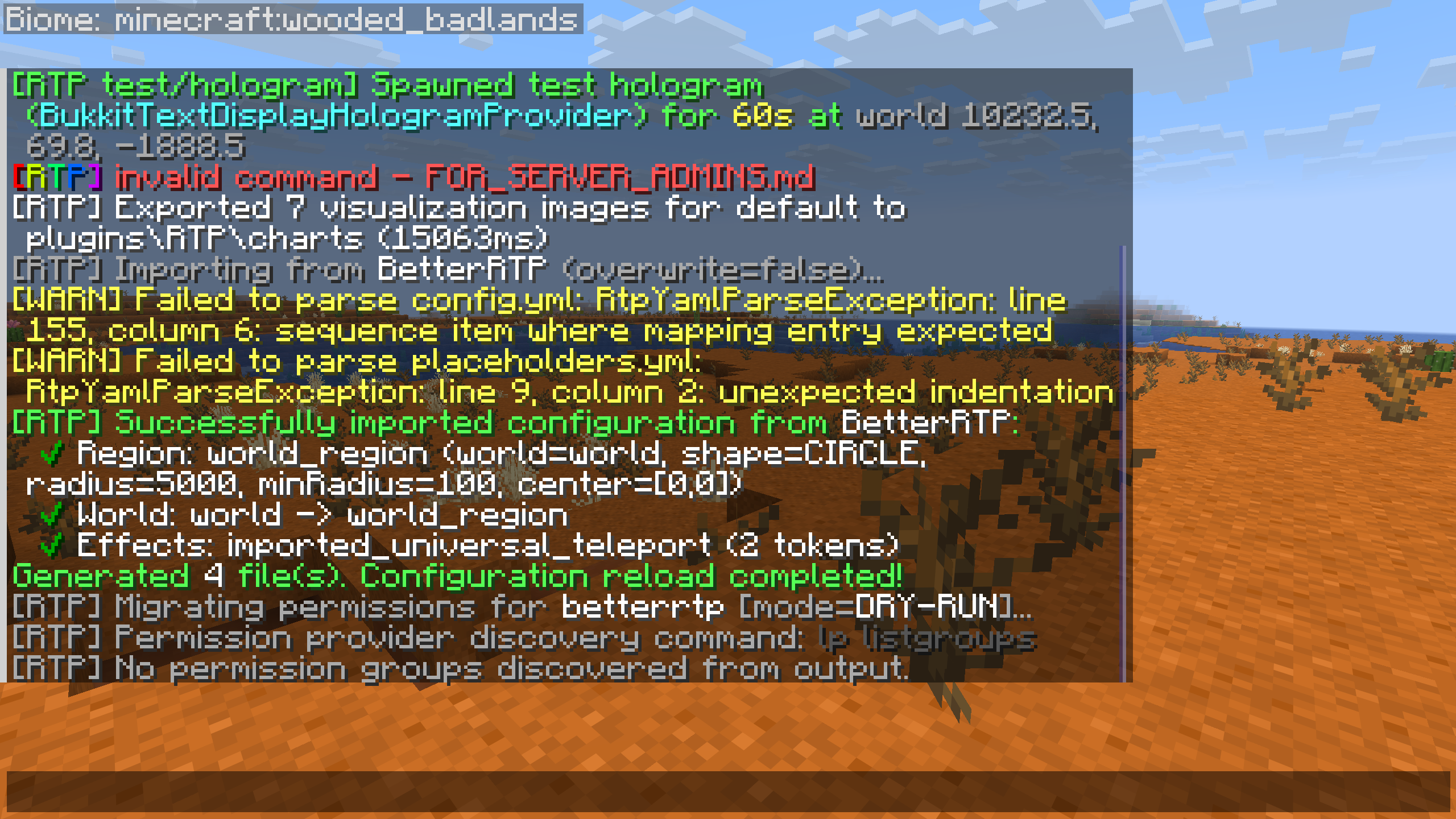
- World & Region Mapping:
Defaultconfiguration maps to region defaults.CustomWorldsentries generate per-world region files (regions/<world>.yml).Shape: SQUAREmaps to RTPSQUARE.Shape: CIRCLE/ROUNDmaps to RTPCIRCLE.Shape: RECTANGLEmaps to RTPRECTANGLE.MinRadiusandMaxRadiusmap tominRadiusandradius.CenterXandCenterZmap tocentercoordinates.- Timing & Economy:
Cooldownmaps toteleportCooldown(seconds).Delaymaps toteleportDelay(seconds).Pricemaps topriceineconomy.ymlor region economy configuration.- Database Settings:
Database.Type(MYSQL, POSTGRESQL, SQLITE), host, port, database name, username, and password map intoadvanced/database.ymlwithout overwriting existing credentials unless requested.- Visuals & Audio:
- Potion effects (blindness, resistance, slow falling) and teleport titles/sounds map into
definitions/effects/imported_betterrtp_<name>.yml. - Approximations & Differences:
- Biome and block lists are mapped into
safety.ymlfilter definitions. - No second per-world permission needed out of the box: Unlike BetterRTP, which requires
betterrtp.world.<world>alongsidebetterrtp.use, LeafRTP ships withrequirePermission: falseon world and region files, sortp.usealone lets players/rtpin any configured world. /rtp world=<world>vs/rtp region=<region>:/rtp world=<world>looks up<world>indefinitions/worlds/<world>.ymland teleports using that world's assigned region, whereas/rtp region=<region>targetsdefinitions/regions/<region>.ymldirectly (including its own targetworld, shape, and radius). Per-world (rtp.worlds.<world>) or per-region (rtp.regions.<region>) nodes are only checked if you setrequirePermission: trueor let players pass explicitworld=/region=command arguments (rtp.world/rtp.region).
2. JustRTP Migration Guide
Source Locations: plugins/justRTP/config.yml, custom_locations.yml, and rtp_zones.yml
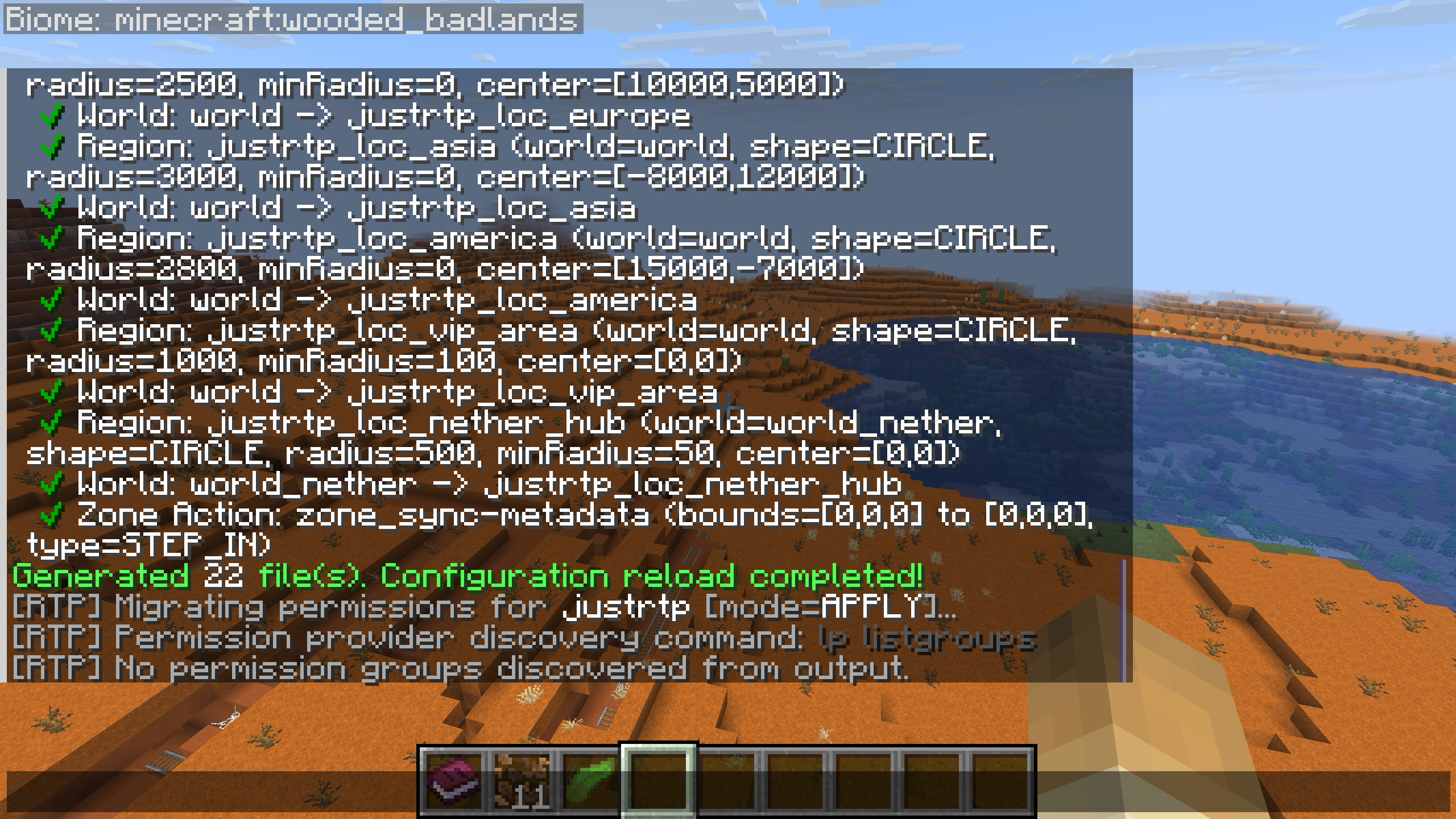
- World & Location Mapping:
worldssections map toregions/<world>.yml.custom_locations.ymltargets map to individual custom region configs (regions/<id>.yml).- Shapes (
ROUND->CIRCLE,SQUARE->SQUARE) and inner/outer radius boundaries translate directly. - SQL Mirroring:
- MySQL / SQLite connection pools in
config.ymlmirror intoadvanced/database.yml. - Spatial RTP Zones & Portals:
rtp_zones.ymlentries convert automatically into declarative Action files:definitions/actions/zone_<id>.yml.- Trigger bounding boxes (
world,pos1,pos2), entry modes (STEP_IN,PORTAL,PRESSURE_PLATE), cooldowns, and wave batch intervals are embedded directly into the action trigger spec. - Visual Effects:
- Title, sound, action bar, and particle feedback map to
definitions/effects/imported_justrtp_<name>.yml.
3. EzRTP Migration Guide
Source Locations: plugins/EzRTP/rtp.yml, config.yml, and limits.yml
- Region Mapping:
rtp.ymlandconfig.ymlper-world settings map toregions/<world>.yml.- Radius (
min,max), center offsets, and world lists map to RTP region parameters. - Limits & Cooldowns:
limits.ymlcooldown and delay settings map into core timing configurations.- Arrival Effects:
- Arrival sounds and potion buffs translate to
definitions/effects/imported_ezrtp_*.yml.
4. JakesRTP Migration Guide
Source Locations: plugins/JakesRTP/config.yml, rtpSettings/*.yml, and distributions/*.yml
- Settings & Distributions Mapping:
- Each
rtpSettings/<profile>.ymltranslates to a dedicated region file (regions/<profile>_region.yml) and links to the landing world (worlds/<world>.yml). - Distribution files (
distributions/<name>.yml) mapshape(square->SQUARE,circle->CIRCLE,rectangle->SQUARE/RECTANGLE),radius.min/maxtocenterRadius/radius, and custom center coordinates (c-custom.x,c-custom.z). - Gaussian distribution toggle (
gaussian-distribution.enabled: true) automatically activates LeafRTP'sNORMALspatial distribution shapes (CIRCLE_NORMALorSQUARE_NORMAL). - Timing, Economy & Bounds:
cooldownmaps toteleportCooldowninconfig.yml.warmup.timemaps toteleportDelayinconfig.yml.costmaps topricein region definitions.bounds.lowandbounds.highmap tovert.minYandvert.maxY.max-attempts.valuemaps toperformance.yml#maxAttempts.preparations.cache-locationsmaps toperformance.yml#queue.targetSize.
Physical Zone Action Configurations (Lobby Portals & Spatial Waves)
Spatial zones imported from JustRTP (or created manually) are defined under <dataFolder>/definitions/actions/zone_<id>.yml. These actions use native physical trigger volumes and support wave accumulation, lobby countdown feedback, volumetric particle boundaries, and floating holograms.
Example Zone Action (definitions/actions/zone_lobby.yml):
id: "zone_lobby"
enabled: true

# Physical volume trigger configuration
triggers:
  - type: "STEP_IN" # Options: STEP_IN, PORTAL, PRESSURE_PLATE
    world: "world"
    min: { x: 100, y: 64, z: 100 }
    max: { x: 110, y: 70, z: 110 }
    batchInterval: "15s" # Group wave accumulator: gathers players and dispatches every 15s
    cooldown: "5s"       # Per-player re-entry cooldown

# Spatial rendering and lobby feedback
display:
  wireframe:
    type: "OUTLINE" # Options: OUTLINE, BEAM, SWIRL, PULSE, DUST_WALL
    particle: "VILLAGER_HAPPY"
    render_distance: 48
    max_particles_per_tick: 200
  hologram:
    enabled: true
    title: "&a&lRTP Portal"
    countdown_format: "&eTeleporting wave in &b{seconds}s"
    offset_y: 2.5

# Destination & execution pipeline
placement:
  world: "world"
  shape: "CIRCLE"
  radius: 5000
  minRadius: 500
  minSeparation: 16

lifecycle:
  onEnter:
    sound: "BLOCK_NOTE_BLOCK_PLING"
    actionbar: "&aEntered RTP portal! Teleporting soon..."
  onTeleport:
    sound: "ENTITY_ENDERMAN_TELEPORT"
    title: "&6&lTELEPORTED!"
- Wave Accumulator: Players inside the trigger box are accumulated. When
batchIntervalelapses, all occupants are dispatched together in a coordinated teleport wave. - Volumetric Wireframes: Boundaries are traced with particle geometry (
OUTLINE,BEAM,SWIRL,PULSE, orDUST_WALL) with distance culling and rate limits to prevent client lag. - Holograms: Floating display entities render above the center of the zone box showing live wave countdowns.
Non-Destructive Permission Migration
/rtp config import also migrates permissions, without removing anything. When importing configs, BetterRTP, JustRTP and EzRTP permission nodes assigned to groups in your permissions provider (such as LuckPerms) are automatically mapped and applied (unless permissions=false is explicitly passed). Other plugins' nodes are not mapped; grant the rtp.* equivalents by hand.
Command Syntax
/rtp config import [source] [overwrite=true|false] [permissions=true|false] [path=<dir>]
/rtp config import permissions [source] [apply=true|false]
/rtp config import):
- [source]: Plugin folder to import (betterrtp, justrtp, ezrtp, jakesrtp, or any other folder name under plugins/), or omit to auto-detect.
- [overwrite]: When true, writes configuration files and applies permission changes to your permission provider. Defaults to false (dry-run preview for both config and permissions).
- [permissions]: Defaults to true. Pass permissions=false or --no-permissions to skip permission migration.
- Standalone Permission Subcommand (/rtp config import permissions):
- [source]: Optional source filter (betterrtp, justrtp, or ezrtp). If omitted, all three plugins' nodes are scanned.
- [apply]: false (default) performs a non-destructive DRY-RUN, logging planned migrations. true executes the appropriate permission set commands directly through your server's command dispatcher.
Permission Mapping Table
| Competitor Node | LeafRTP Equivalent | Notes |
|---|---|---|
betterrtp.use / ezrtp.use / justrtp.use |
rtp.use |
Base teleport command access |
betterrtp.world / ezrtp.world / justrtp.world |
rtp.world |
Multi-world teleport access |
betterrtp.world.<world> / justrtp.world.<world> |
rtp.worlds.<world> |
Specific world targeting (optional in LeafRTP: rtp.use alone works out of the box while requirePermission: false) |
betterrtp.world.* / justrtp.world.* |
rtp.worlds.* |
Wildcard for all worlds |
betterrtp.biome / justrtp.biome |
rtp.biome.* |
Biome targeting access |
betterrtp.biome.<biome> / justrtp.biome.<biome> |
rtp.biome.<biome> |
Specific biome targeting |
betterrtp.bypass.cooldown / ezrtp.bypass.cooldown |
rtp.noCooldown |
Cooldown bypass |
betterrtp.bypass.delay / ezrtp.bypass.delay |
rtp.noDelay |
Teleport delay bypass |
betterrtp.bypass.economy / betterrtp.bypass.hunger |
rtp.free |
Free teleportation bypass |
betterrtp.player / ezrtp.player / justrtp.player |
rtp.other |
Teleporting other players |
betterrtp.reload / justrtp.admin.reload |
rtp.reload |
Reloading configurations |
betterrtp.admin / ezrtp.admin / justrtp.admin |
rtp.admin |
Full administrative access |
jakesrtp.use / jakesrtp.usebyname |
rtp.use |
Base teleport command access |
jakesrtp.use.<settings> |
rtp.regions.<settings> |
Specific settings profile access |
jakesrtp.nocooldown |
rtp.noCooldown |
Cooldown bypass |
jakesrtp.nowarmup |
rtp.noDelay |
Warmup delay bypass |
jakesrtp.others / jakesrtp.forcertp |
rtp.other |
Teleporting other players |
jakesrtp.rtpondeath |
rtp.onEvent.respawn |
Respawn event random teleportation |
jakesrtp.admin / jakesrtp.permpack.admin |
rtp.admin |
Administrative control |
Customizing Permission Command Templates (addons/integrations.yml)
The permission migration scanner uses configurable command templates to query and mutate groups in your permission plugin. These can be adjusted in addons/integrations.yml:
permissions:
  command_templates:
    group_list: "lp listgroups"
    group_get: "lp group [group] permission info"
    group_set: "lp group [group] permission set [permission] [value] [contexts]"
    group_unset: "lp group [group] permission unset [permission] [contexts]"
    user_list: "lp listusers"
    user_get: "lp user [user] permission info"
    user_set: "lp user [user] permission set [permission] [value] [contexts]"
    user_unset: "lp user [user] permission unset [permission] [contexts]"
world=survival server=lobby).
Upgrading to 3.x (Current Release: 3.3.0)
⚠️ 3.x is a major upgrade from 2.x: config files move into subfolders, distances and times accept units, bare
/rtpcan open a menu, the addon API changed, and Fabric, NeoForge and Velocity are supported. Back upplugins/RTP/first.
Key Upgrade Pathways at a Glance
| If upgrading from... | Recommended path & primary actions |
|---|---|
| Legacy 2.x (e.g. 2.0.18 or earlier) | Full major upgrade. Review breaking API changes, rename permissions/commands (rtp.fill -> rtp.scan, parameter delimiter : -> =), remove PaperLib on Paper servers, verify tiered configuration directory migration, and allow cache files to upgrade automatically. |
| Early 3.0.x / 3.0.0-beta.x | Update command syntax to key=value, adjust uniquePlacements (now chunk radius integer rather than boolean), review bundled add-on jar auto-extraction (LeafRTPGuiAddon, LeafRTPClaimAddon), and check rtp.admin permission umbrella. |
| 3.1.x | Note that in 3.2.0+ bare /rtp opens the GUI picker by default if an inventory/menu renderer is available; claim integrations moved to bundled LeafRTPClaimAddon (plugins/RTP/addons/LeafRTPClaimAddon.jar); LINEAR vertical search defaults to middle-out (direction: 2) with sky light requirement (vert.requireSkyLight: true). |
| 3.2.x | Config files and definitions are organized in tiered folders (definitions/, advanced/, addons/). Database configuration lives in advanced/database.yml, biome weighting in advanced/biomes.yml, and messages in advanced/messages/*.yml. The terrain memory files upgrade themselves on first load. |
Detailed Version Upgrade Notes
Upgrading to 3.3.0 (from 3.2.x or earlier)
- Network Mode Permissions (
rtp.servers.*): - The permission node
rtp.servers.*now defaults totrue(previouslyop) inplugin.yml. In network/proxy mode, every player can reach open cross-server regions by default. - If your network configuration relied on
rtp.servers.*defaulting to operators only, configure explicit negative permissions (e.g.-rtp.servers.<server>or-rtp.servers.*) in your permissions manager. -
Cross-server peer regions only require
rtp.regions.<region>if the owning backend explicitly configuredrequirePermission: true. -
Terrain memory file format:
- The
.binfiles that remember bad terrain now store why each spot was rejected and when that expires. - Existing files are upgraded in place on first load.
-
Rollback note: 3.1.x and earlier cannot read the upgraded files. Always make a backup of
plugins/RTP/before upgrading in case you need to roll back. -
Tag-Group Set Subtraction in
safety.yml: - Block safety lists support subtraction expressions (e.g.
#minecraft:slabs - OAK_SLAB,#minecraft:leaves - AZALEA_LEAVES). -
Existing syntax and unmodified lists remain fully backward-compatible.
-
Unified Unit Parsing:
- Configuration files and command parameters accept explicit units for lengths/distances (
b/blocks,c/chunks,r/regions), durations (t,ms,s,m,h,d, composite2h30m), and memory sizes (kib,mib,gib). Plain unitless numbers remain backward-compatible and auto-interpreted in context.
Upgrading to 3.2.x (from 3.1.x or earlier)
- Bare
/rtpOpens GUI Menu by Default: LeafRTPGuiAddonis bundled in the RTP jar and self-extracts intoplugins/RTP/addons/on first startup when the folder does not exist.- By default, executing
/rtpwithout arguments now opens the visual destination-picker GUI menu on platforms where a menu renderer is available (Paper, Folia, Fabric, NeoForge). -
To restore instant teleportation on
/rtp: SetopenOnBareRtp: falseinplugins/RTP/addons/guimenu.yml(or toggle it in/rtp admin setup) so bare/rtpteleports immediately while keeping/rtp guiavailable. The classic command also remains directly accessible via/rtp teleportor menu items. -
Tiered Configuration Directory Layout:
- The plugin data directory is reorganized into clean, tiered subdirectories:
- Root: everyday operational files (
config.yml,economy.yml,language.yml,safety.yml). definitions/: authored game content (definitions/regions/,definitions/worlds/,definitions/effects/,definitions/actions/).advanced/: infrastructure and tuning (advanced/database.yml,advanced/biomes.yml,advanced/performance.yml,advanced/logging.yml,advanced/metrics.yml,advanced/ttl.yml).advanced/messages/: modular localization files (commands.yml,network.yml,placeholders.yml,player.yml,system.yml).addons/: bundled and external addon configurations (addons/countdown.yml,addons/guimenu.yml,addons/integrations.yml).
- Root: everyday operational files (
- Automatic relocation: On first load, RTP automatically relocates existing flat files to their new tiered paths without overwriting files that already exist.
-
Manual settings check: If you customized database settings in
config.ymlor biome weights inperformance.yml, verify those values inadvanced/database.ymlandadvanced/biomes.yml. -
Claim Integrations Extracted to Bundled Addon:
- Claim and land-protection integrations (WorldGuard, GriefPrevention, Towny, Lands, etc.) have moved from the core plugin into the bundled
LeafRTPClaimAddon(plugins/RTP/addons/LeafRTPClaimAddon.jar). -
Claim protection remains active out of the box with zero configuration required.
-
Surface Teleport Defaults (
LINEARMiddle-Out & Sky Light): - Overworld vertical adjustment defaults to
LINEARwith middle-out scan (direction: 2) andrequireSkyLight: true(vert.requireSkyLight: true) in default region templates. - Eliminates players landing in roofed caves or dark overhangs while preserving Nether/End roof ceilings.
Upgrading to 3.1.x (from 3.0.x)
uniquePlacementsis now an Integer Chunk Radius:- The
uniquePlacementsparameter on memory shapes changed from a boolean flag to an integer chunk radius (default0= off). - Setting
uniquePlacements: 3clears a square area of chunks around previous teleport spots to spread players out. -
Legacy boolean values (
true/false) in older configs automatically coerce to1and0without breaking. -
PvP Combat Gate:
-
Optional combat gate in
safety.yml(pvpCheckEnabled: falseby default). When enabled, prevents players in active combat from teleporting, supporting native damage tracking or soft-depend hooks (PvPManager, CombatLogX, SimpleCombatLog). -
Unified Admin Tooling (
rtp.admin&/rtp clear): - The master permission node
rtp.adminnow groups administrative sub-permissions (rtp.reload,rtp.config,rtp.scan,rtp.info). /rtp clear <cache|cooldown|queue|limit|invuln>provides single-shot cache and state purging.
Upgrading from Legacy 2.x to 3.x
If you are upgrading from 2.0.18 or earlier:
- Command & Permission Renames:
/rtp fillis now/rtp scan(permissionrtp.scan).- Command parameter syntax uses key-value equations (e.g.
/rtp world=world region=defaultrather than colon syntaxworld:world). - PaperLib Removal (Paper & Folia Servers):
rtp-paperandrtp-foliause native asynchronous chunk scheduling directly.- If PaperLib was installed in
plugins/solely for RTP, removePaperLib.jar. - Platform Additions:
- First-class native support is available for Spigot, Paper, Folia, Fabric (via mod jar), and NeoForge.
- Cache & Database Ingestion:
- Legacy 2.x
.binfiles and spatial memory rows are read automatically. If you desire a full reset for fresh terrain shapes, run/rtp scan reset.
Addon Developers (rtp-api Breaking Changes)
Addons built against rtp-api 2.x must recompile against 3.x:
ChunkReservation: Chunk ticket lifecycles are managed viaChunkReservation(implementsAutoCloseable). Replace manual ticket code with try-with-resources.CachedLocation: Refactored into an immutable Javarecord. Construct new instances instead of mutating fields.- Menu & Addon SPIs: New platform-agnostic
RTPAddoninterface and ServiceLoader-basedAddonRegistryallow addons to run across Bukkit, Paper, Folia, Fabric, and NeoForge without platform imports. - Personal Queue API: Deprecated
Region.queue(UUID)is replaced byopenPersonalQueue(UUID)(opt-in bucket) andrequestTeleport(UUID)(waitlist enqueue).
General Upgrade Procedure
- Back up your
plugins/RTP/folder (configs, database files). - Stop the server.
- Replace the RTP jar with the new version.
- Remove PaperLib from
plugins/if upgrading to 3.0.0-beta.1+ on a Paper server and PaperLib was only used by RTP. - Start the server. RTP will load existing config and cache files automatically.
- Run
/rtp infoto confirm the new version is active. - Run
/rtp reloadif you want to force a full config re-read.